June 11th, 2019 | Filed under: Currently Reading
#IMWAYR
It’s Monday. Or it was when I drafted this post. But now it’s Tuesday and I’m still asking: What are you reading?
I came across this tag (which stands for “It’s Monday – What are you reading?) on Twitter via Jen Vincent of Teach Mentor Texts. Incidentally I had also just listened to some read-alouds from 180 Days by Penny Kittle and Kelly Gallagher (which you can find by way of the great Heinemann Publishing podcasts). They were discussing the need to show students what a reading life looks like. I think #IMWAYR is a good way to remind me to share and show my reading life.
So what am I reading?
Pachinko by Min Jin Lee – I’m reading this for a book club. Mostly via audiobook. It’s not a usual pick for me. Book clubs are good for pushing you out of your reading comfort zone and I’m grateful to have found one since moving back to Virginia. I’m almost finished but I have a lot of thoughts about the effects of colonialism and imperialism and capitalism.
Black Hammer by Jeff Lemire – It’s the first trade of this ongoing comic and I’m liking it so far. A group of superheroes are stranded in a rural town and living on a farm having to hide who they are. It starts 10 years into their stay in a very weird town and I’m intrigued by their struggle to fit into a world that isn’t their own.
The Left Hand of Darkness by Ursula K. Le Guin – A classic bit of speculative fiction by the master. I find her style challenging but rewarding. Of course I also like the discomfort of the protagonist who can’t shake his binary outlook, always trying to put people into one gender or the other despite the people of the planet being both male/female.
NYTimes – I got a digital subscription since this seems to be one of the newspapers of record for the US if not THE one of record. I got sick of trying to weasel around the paywalls and this way I can organize resources more easily for my future students. I’m finding the app to be pretty neat though I wish I could do a bit more than just bookmark articles.
So that’s where I’m at in my reading life this week. I’m on Goodreads though I don’t post everything I read there. I do my best to track things so feel free to follow me there. And check out the #IMWAYR tag on Twitter for more reading inspiration.
No Comments »
April 17th, 2018 | Filed under: teaching
I’ve realized over these last few years how crucial routine is in my classroom. I’ve achieved this by trying to get scheduled in the same room regularly, but that’s not always possible. However, every room has a board and I use it in the same way for every lesson – as an agenda for inquiry.
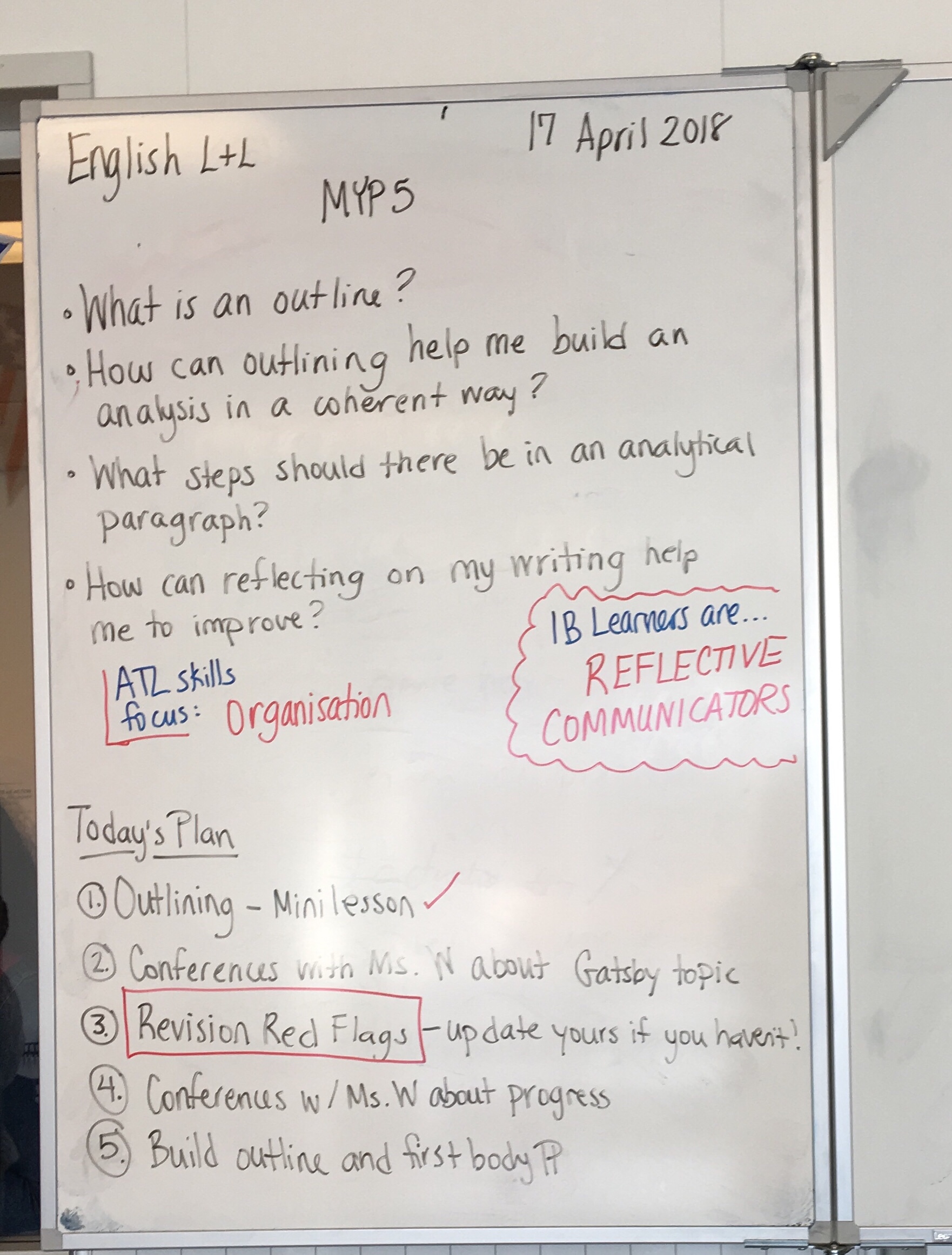
Students walk in and see the board and they know what the plan is…for the most part. This can calm nervousness about what to expect and it often answers questions that come up at the beginning of the lesson. “Miss, are we going to…” or “Miss, can we have time to…” I still get those questions, but students often can answer those themselves by checking out the board on the way in. This gives me time to take attendance and answer questions that can’t be answered by the board.
Finally, the board format gives us a chance to reflect and close out the lesson. What didn’t get done? Why? What do we need to work on?
It’s not SWBAT, but in some ways it serves the same purpose with an MYP inquiry twist.
Tags: inquiry, MYP, routine No Comments »
April 15th, 2018 | Filed under: personal
Somewhere between my last post and today, I became a teacher.
I truly settled into my role (and some new roles!). I’ve developed my own routines and methods. I feel confident in many of my approaches, though I’m always adjusting and developing new ones. But I’m at that stage in my teaching (approaching 10 years!) where I no longer feel like the pre-service teacher grasping for a hold on how to do this incredible job. My teacher presence on social media – including this blog – went dark for a while as I hunkered down and focused on the day to day business of educating. But I’ve been feeling the urge to revive this space and use it for what I originally intended: reflective sharing.
So…here I am.
No Comments »
January 25th, 2014 | Filed under: teaching
I attempted a multigenre project in my first year at ISB with my 9th and 10th grade group, which at the time was only four students. We have grown in the last two years since that class and now I’m teaching individual year groups that are a bit larger. I decided this year to attempt the multigenre project again with my MYP 5 students (10th graders) who are heading toward the Diploma Programme next year. I wanted to try this again despite the rough first go for a number of reasons:
In the Diploma Programme, students need to be able to rationalize and justify their decisions in creative pieces. They need more practice with this, which the multigenre project allows.
Students always need practice with research and, more importantly, with evaluating and assessing sources for reliability and usefulness. The multigenre project in my class is a research project and I require an annotated bibliography so students can continue to develop their evaluation and reflection skills.
Choice and flexibility are powerful motivators and the multigenre project is an endless spider web of choices students can make so that they truly feel ownership over the experience.
I want to improve on that first experience with the multigenre project and use some of that reflection to improve my practice.
Multigenre projects are much more interesting to read and assess than traditional research papers. Duh!
I think one of the difficulties I had the first year (aside from the fact that it was the first year of a brand new school and programme and country for me) was that I didn’t have an appropriate anchor for the project. I needed somewhere to start that would show students the importance and inherent reward in research. I decided this year to read The Immortal Life of Henrietta Lacks by Rebecca Skloot with the MYP 5 group. It is an amazing story with many angles for inquiry, but it is also a work of research that the author became invested in personally. The book is written in a creative non-fiction style that makes the scientific bits accessible and it uses primary source material to bring the research to life for readers. I’ve found it to be a perfect jumping-off point for multigenre inquiry.
I also felt that in my first year of experience with multigenre that I didn’t give the students enough opportunity to practice with different genres nor did I model different types of writing enough for them. The book has given us endless prompts for multigenre practice that both gives me formative feedback on how students are understanding the story and gives them experience with using research to inspire genre writing.
For example, last week we attempted to compose a poem based on the first few chapters of the story. I told students they could write a poem based on anything that came to mind from the text. This was challenging for some students, particularly the English language learners, but everyone came away with something in their writer’s notebooks – even me! After writing in their notebooks for about 15 minutes, I asked students to share their poems with the others at their tables and discuss why they made certain decisions about content and form. This discussion allowed students to use literary language (I heard words like “rhyme scheme” and “haiku” floating around) and forced them to reflect and rationalize some of their decisions. In hindsight I think starting with a poem was too intimidating for students and I might move it to a later week in the project, but it was successful despite how shy students were in sharing their work.
This successful interaction, though it took some time, told me I was on to something and I got excited. Maybe this year’s multigenre project would be different!
This week I decided to give multigenre practice a second go around, but with a far less literary genre: the to-do list. After some discussion of what exactly a “to-do list” is for some of the English language learners, we dove into practice. We had just finished reading a painful chapter from the book in which Henrietta Lacks is in the throes of a cancer that is metastasizing and literally eating her insides. I asked students to write a to-do list from Henrietta’s perspective – what would be on this woman’s to-do list in this moment? The results were exciting and led to even more discussion among students, some of them very philosophical. I think this genre was a good one to do because it was small, familiar and truly demonstrated for students how even the most common genres can be used to powerful effect. A few of them started jotting down ideas for their own projects after this bit of practice. I imagine I will be seeing the to-do list in more than a few projects.
Right now students have finalized their topics and they are beginning to do some research. This week they need to find their first source and do an annotation to start their annotated bibliographies. I have also asked students to add some genre ideas to their annotations after using the source and to consider what types of writing they could do to show their learning.
My requirements for the task are quite general. The project should include:
- a “dear reader” letter
- 5 genres with rationales for each – one creative, one informational, the rest is left up to the student
- 5 sources – one human, one print, one multimedia, the rest is left up to the student
- annotated bibliography
- form rationale in which the student explains the form of the project (book, website, etc.)
There are some great sources out there for multigenre projects and I’m using a few heavily as I work through this unit:
Next week we will continue working through the book and playing with different genres. In the past few weeks I have shown students examples of multigenre projects I have found online, from students ranging in age from university level to 11-year-olds. I keep the links available for students and I take some time to just scroll through them on the board in class and discuss the elements we see. It’s a pretty fluid and sometimes messy unit, but I’m getting excited as we push forward.
Tags: creative non-fiction, HeLa, Henrietta Lacks, international school breda, ISB, multigenre, multigenre project, projects, Rebecca Skloot, research paper, tom romano 33 Comments »
June 23rd, 2013 | Filed under: Currently Reading
“STUDYING the humanities should be like standing among colleagues and students on the open deck of a ship moving along the endless coastline of human experience. Instead, now it feels as though people have retreated to tiny cabins in the bowels of the ship, from which they peep out on a small fragment of what may be a coastline or a fog bank or the back of a spouting whale.”
I usually groan at articles by college professors lamenting “kids don’t know how to ____!” However, this one gave me pause and has me thinking even more about my job as a teacher of English and, more specifically, a teacher of thinking and communicating.
The Decline and Fall of the English Major – The New York Times
h/t to @bkolani who shared this link via Twitter
Tags: critical thinking, English, higher education, humanities, teaching writing 4 Comments »
June 17th, 2013 | Filed under: teaching
As a teacher I have long understood and promoted the idea that to teach something you have to be able to do that thing. I’m not saying you have to be the world’s best writer, historian, athlete, musician, etc. to teach those subjects, but you need the experiences of doing those things to understand what it is like to be a novice.
This fact is best demonstrated by university professors. Some of my university professors were incredible experts in their fields, academics with published articles, and authors with stories and poems appearing in literary journals. However, those achievements said nothing of their teaching practice*. In fact, some of my most important experiences as a bachelor’s degree candidate were sitting in the offices of TAs, conferring about my work and getting feedback, not sitting in a crowded lecture hall listening to my professor. It’s true – I did have some incredible teachers in university that were both experts in their fields and great at teaching. But they are rare.
As is often the case with blogs, I’m getting ready to admit something shameful. I’m not fishing for comforting comments and compliments in this post, though you are free and welcome to dish them out. I am writing this to admit what I think is one of the most difficult aspects of teaching – that through the act of teaching and all the things that come along with that, we often forget to work on the craft we teach. Our subject knowledge often grows dull, edged out by “all that we have to do” in our jobs. We teach our way out of the subject that we love, becoming cliches with stories that gather dust and lose credibility with every new crop of students.

Photo "writing in her journal" CC-licensed by Flickr user Susan NYC
I realized that I had put a vast distance between me and the most important subjects I teach. My goal when I walk into the classroom is to support students in becoming strong readers and writers. However, I was doing neither of those things. I always had too much to do – too many papers to mark, too many units to plan, too many administrative details to tend to. My teaching has suffered. I realized over the last few months that the only reading I was really doing was for work and the only writing I was producing came in the form of tweets, e-mails, unit plans, and assignment sheets. I have lost my way.
So, in the face of such an embarrassing realization, I hunkered down with a few good books and gorged myself on them. I plowed through four books in the last week (American Gods by Neil Gaiman, The Handmaid’s Tale by Margaret Atwood, The Kite Runner by Khaled Hosseini, and The Absolutely True Diary of a Part-Time Indian by Sherman Alexie, if you’re wondering). It felt amazing. I was reading just because. Granted, I did want to explore these texts further to consider them for inclusion in our language arts curriculum, so technically this was tangentially related to work, but I enjoyed it. I loved it, even!
I discovered this past week that I was mining my reading life for lessons on what it means to be a reader. I saw opportunities to share mentor sentences, to demonstrate allusion and irony, to explain what it feels like to make connections while reading. I needed to be doing this. If I ever want to be a good teacher of reading, shouldn’t I be the reader I want to see in the world? Forgive me, Gandhi.
Katie Wood Ray in What You Know by Heart talks about mining your writing life for lessons in teaching writing. It’s a fabulous idea and makes a lot of sense…if you have a writing life. As I’ve been reading through this book, I’ve felt twinges of guilt and shame about the writer I wanted to be and thought I could be. I was a newspaper reporter before I began this teaching journey and for a short time I really was a writer. However, making that skill my job took the romance out of it for me and maybe that’s why I’ve shied away from it ever since. I think I’ve been afraid to let that piece of myself, buried away for so long, come out and be a part of my work life again. If I keep it buried and hidden, I don’t have to face the hard work involved. I can just have nostalgia for a dream that never happened and call it a day.
But I suppose if I want to be a teacher of writing, I can’t keep it hidden any longer. When my students ask me to share a piece of my writing with them, I want to be ready and able to do so – willing, even. Speaking from my growing-ever-distant memories of writing is no longer cutting it. The experiences are too far removed from my life now and my teaching is not what it could be for this time.
Just as I did with my reading life, I’m taking some steps to rebuild my writing life. This summer I’m starting a writer’s notebook and I have signed up for the #TeachersWrite virtual summer writing workshop. I will be in the U.S., traveling and visiting friends and family, and I want to use some of that Virginia sunshine to cultivate writing experiences. I’m not sure what form anything will take or how successful I will be, but my goal right now is just to start and we’ll see where it goes from there.
*If you are interested in a hilarious and decidedly NSFW example of this phenomenon in secondary physical education, check out the T.V. show Eastbound & Down and keep an eye out for Kenny Powers.
Tags: katie wood ray, reading, teachers write, writing 3 Comments »
May 20th, 2013 | Filed under: teaching
I’ve begun reading What You Know by Heart by Katie Wood Ray. It was a glorious feeling to crack open a new professional book and not feel guilty that I should be working on my master’s degree. Many of my colleagues have asked me how it feels to be “finished” with such an undertaking and I often can’t tell a major difference in my life. However, it is in these small moments – such as opening a book that has been gathering dust on my shelf and piquing my curiosity – that I can tell that I’m done.
I’m only in the first chapter, but so far Ray has provoked my thinking with rhetorical questions about how much I let my students see of my “human side.” She is discussing the human side of writing – the feelings that are evoked during the process of writing – and how important it is to let students see this. It got me thinking about the human side of our teaching selves in general.

Photo CC-licensed by Flickr user exfordy.
In my first real teaching gig, I didn’t let students see my human side. I had been told how important it was to be strict and to not make friends with students and to wear high-heels because I was smaller than the students (seriously). I took on a persona that smiled and welcomed students into the room, but that didn’t warm up to them for fear of letting them get too close. I had been advised to be suspect of students and their friendly nature – that they would take advantage of me. I had my guard up. They saw straight through it and could feel the burn of that suspicion. They could see that I wasn’t being honest with them about who I was and to this day it is a great regret.
I am not the stern, strict teacher that people said I should have been. I am fair and have high expectations, certainly, but I’m more of a nerdy, self-deprecating, funny weirdo. I hid that part of myself from those students in the first year and as a result, never connected with them. Now that I am letting myself be myself in the classroom, I have deeper connections with my students than ever before. I tell them about my personal life and show them pictures of my cats. They know I have a boyfriend and a little brother. They know I like cooking. I’ve revealed my human side in an appropriate way without compromising my professionalism and I am a better teacher – and person – because of it.
Tags: katie wood ray, professionalism, reading, reflections, what you know by heart 4 Comments »
September 24th, 2012 | Filed under: teaching
Last year I started my first international school teaching job here in The Netherlands at a school implementing the Middle Years Programme. I was so excited! Concept based curriculum, theme-based units, opportunities to incorporate all sorts of texts and assessments, no mandates or state standards to worry about! Just a framework within which I was expected to bring students to a general set of objectives in the subjects I teach, which are English and technology.
Now, there are few “MYP textbooks” out there. And if you talk to most teachers working in the program, many just use their own resources, gather materials from a selection of books, use the Internet, etc. It’s great to be able to do that. Last year I decided not to order any textbooks and instead focus on getting short stories online or from anthologies, use our sister school’s library, etc.

cc licensed ( BY ) flickr photo shared by BiblioArchives / LibraryArchives
In short, it was exhausting. I’ve been trying to think about why this was so hard for me and I’ve come to a few conclusions:
-
There is no curriculum – I’m writing it. This freedom is both exhilarating and overwhelming at the same time. Everything was an option, which sometimes froze me in my tracks.
-
I haven’t been teaching that long. Veteran teachers have that expert knowledge that comes from years of experience – they know what texts are great for which age group and can work from those experiences. I have a few of those I’m coming from, but not nearly enough to make planning a breeze. It’s still a big learning curve for me.
-
Scouring the Internet for resources isn’t as easy and relaxing as it seems. In addition to planning MYP units (very labor intensive for those new to it), crafting assessments and task-specific rubrics, marking and starting up the school, searching for resources online late at night to fit my unit question was painful. It wasn’t enjoyable.
So this year I made a decision to purchase some textbooks. A selection of literature textbooks to add to the resources I purchased last year (short story collections, a few novels) and the resources we have at our neighboring school library. For a second I cringed as I made the order – am I failing in a way? Am I taking the easy way out?
I think most of the negativity towards textbooks comes from the fact that they try to sum up an entire course in one book and we know, as teachers of our subject, that’s just not possible. Who do they think they are? Really?
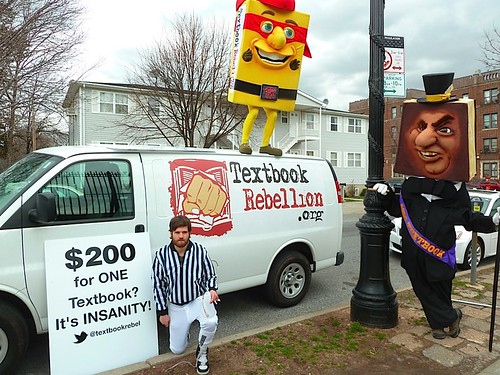
cc licensed ( BY ) flickr photo shared by textbookrebellion
And don’t get me started on the corporate nature of textbook companies, the up-selling, the price of these things, etc. There are a lot of reasons to talk trash about textbooks. But, just like timed writing and test preparation, I’m finding they have their place.
So, I’m sitting here on a rare Friday off, sipping some tea and flipping through a collection of myths and folktales in one of the textbooks. During my student teaching, myths and folktales was one of the first units I taught and I loved it. My MYP 1 students (6th graders) are studying oral traditions and storytelling before they compose their own myths to read to our primary students. I’m enjoying what I’m finding in the textbook. There are a few activity ideas I hadn’t thought of and some great guiding questions I could use in discussion with my students. That doesn’t mean I’m going to assign the question list for homework or anything like that, but I’m picking and choosing. And not feeling dirty about it. These textbooks are for me – to the students, nothing much has changed.
As new teachers we’re confronted with a lot of issues and controversies about which we’re supposed to make an opinion, right there and then. Just by scrolling through my Twitter feed I’m confronted with hot button issues, words I’m supposed to stop using, new euphemisms to embrace. I had a lot of strong opinions about what is supposed to happen in a classroom and how a teacher is supposed to do things. That was before I actually worked in a classroom. I’m realizing, somewhat begrudgingly, that there’s a lot of grey area in what we do.
So here I am, flipping through a textbook, and loving it. It’s not the answer. It’s not replacing my planning. It’s not my easy way out. But it is a part of what I do and I’m not going to feel bad about it. In fact, I kind of regret not ordering them sooner.
Tags: curriculum, middle years programme, MYP, realizations, resources, textbooks 5 Comments »
September 21st, 2012 | Filed under: teacher productivity, technology
I’m a month into my second year of teaching at the International School Breda in The Netherlands and I already feel much more prepared for it. We’re still in start-up mode at ISB, with lots of protocols to be established and policies to draft and things to discuss, but it’s amazing what a difference a year makes. Not to mention we’ve doubled in students this year. Sure, we still only have a little over 40 students in the secondary, but coming from 18 last year that’s certainly an uptick.
One of the things I wanted to address this year (one of the many on my year-end reflection list) was how to teach little tech skills here and there. Sometimes skills just don’t fit into a unit or I realize in working with a new student that there’s a bit of a skills deficit I hadn’t anticipated. Our students all have laptops and use their machines every day, so they catch on pretty quickly by being thrown into the deep end. However, I still get numerous questions “Miss, if I download a game will it make my computer slow?” or “Miss, I want to start using Evernote, but how does it work?” or “Miss, I want to put a lion on my desktop background.”

cc licensed ( BY ) flickr photo shared by Baddog_
Many of these questions come from our youngest students who are just getting to know their new computers. They really like changing the backgrounds and using PhotoBooth on their Macs to take wacky portraits of themselves. These may not fit into my unit plan objectives, but I think they’re important enough to find time somewhere in the day to address. Personalizing your computer can make the whole experience a lot more enjoyable and productive!
Here’s what I do:
- Capture questions for later. All questions are saved for technology class unless they are urgent. I teach both English and tech, so I get these questions a lot from my students, especially in the first month when many are getting their new computers. I try to save them for technology class.
- Just Google It! or Ask Your Neighbor. I encourage students to ask each other and to utilize YouTube tutorials. “Google is your friend,” I tell them. It might be faster for me just to show them myself, but that takes away from my time and doesn’t contribute to my overall goal in learning for my students. I want to foster independence and problem-solving. Learning how to find your own answers is a skill!
- Plan a “Get to Know Your Laptop Day”. I ask students to make a list of the little things. What do you want to learn? What’s bugging you? What are those lingering questions you keep forgetting to ask? Periodically we address them in a technology lesson with demonstrations. While this may be a question unique to one student, I try to demonstrate for the class what I’m doing since it often helps the others. I encourage students to jump in at these points as well. Most recently a student wanted to learn keyboard shortcuts. I demonstrated how to find them in most app menus and introduced them to dashkards – a Mac dashboard app that serves as a cheat sheet for keyboard shortcuts. It’s pretty much the only reason I have for using my dashboard.
- Tech Tip Fridays. I got this idea from my summer experience in Dublin with MAET. My professor Leigh Graves Wolf would start each day by asking the class for tech tips. We would each get a few minutes to share a tech tip if we had one. My youngest students really love Tech Tip Friday, because they take the helm and show the class something cool. There are often a lot of “oohs” and “ahhs” and “I want to do that!” It also makes the presenting student the expert and I can send students to him or her rather than having them come to me for everything.
Our school is small and we don’t have a dedicated technology integrator. In many ways, that is my job, but it has to be a small part since it’s not official and I have so many other roles that take precedent. But more and more I see ICT skills as something all teachers should be prepared to teach. We say in our school (and I imagine in many other international schools) that all teachers are language teachers. I think we’re also all ICT teachers.

cc licensed ( BY ) flickr photo shared by Bilal Kamoon
I try also to use this workflow with colleagues. I’ve saved one afternoon a week to stay after for meetings and technology integration-related tasks, which makes me available to meet with teachers who have those “little questions.”
Going forward I’m planning to start a tech help team with the students. I’m hoping to make this club a useful part of the school and empower the students to help the teachers learn new things. I’m not sure how to execute it just yet, but in a small school we need all the help we can get!
Wearing many hats means you need to set boundaries. I found last year that I would dive right into helping a colleague or answering a question even when I should have been focusing on something else more pressing. I’m hoping these little changes help me do that this year.
Tags: ict, integration, reflection, tech tips, technology, workflow 1 Comment »
July 25th, 2012 | Filed under: Graduate School
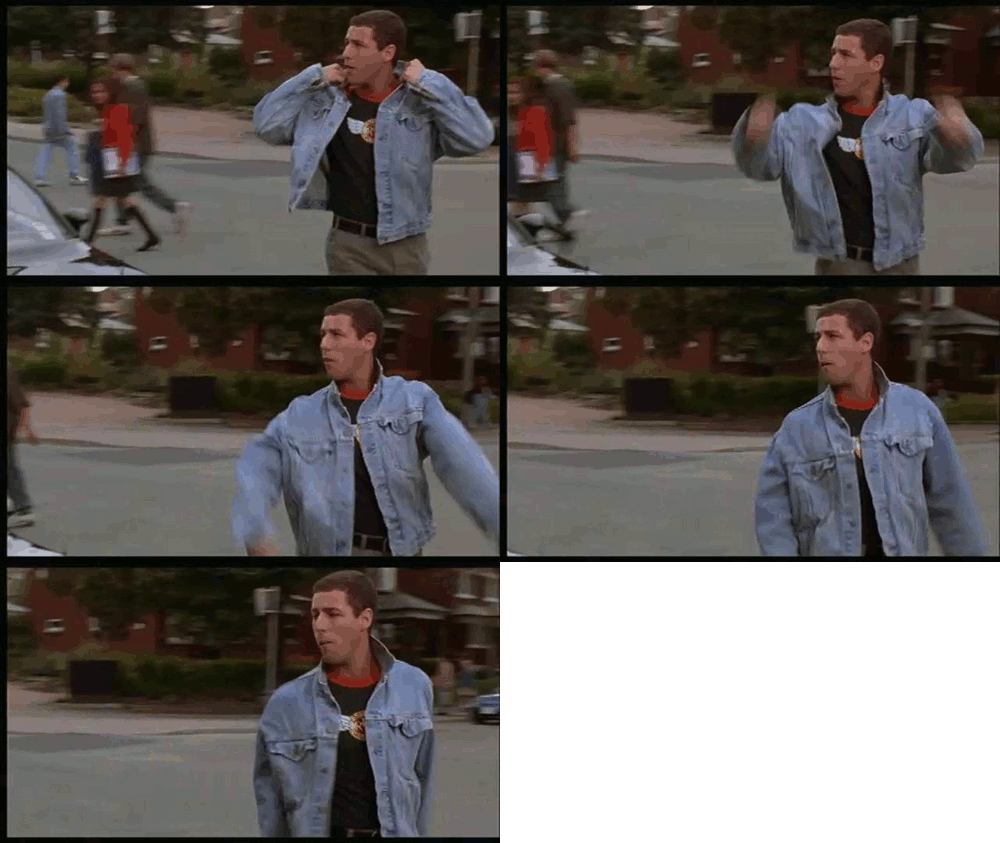
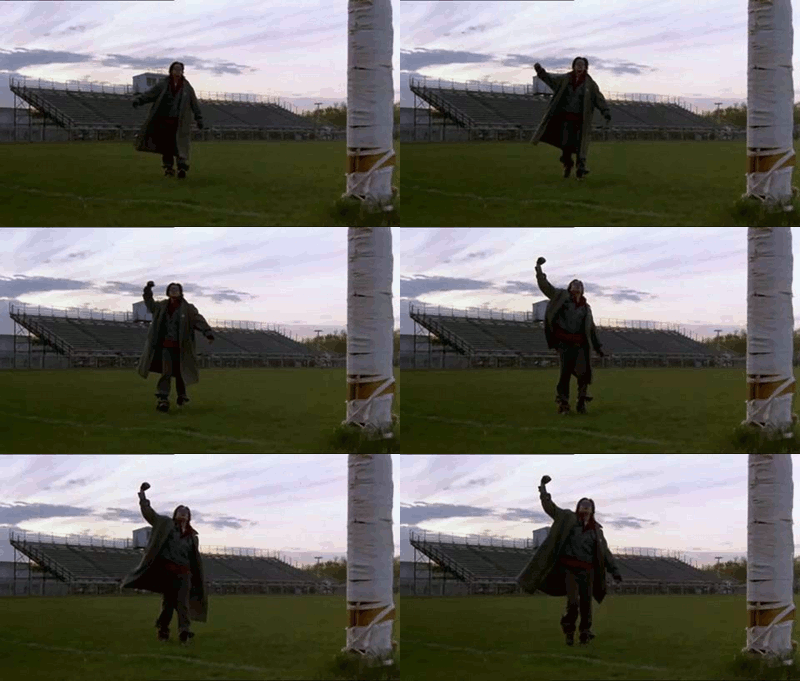
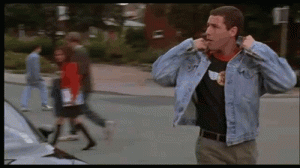
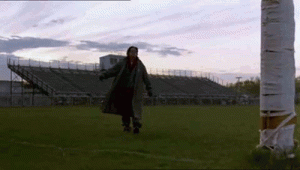
A classmate and I learned how to create animated GIFs during a quickfire activity today in class. We had an hour to learn how to do it and create a gif that represents our year 2 experience this summer. We had a lot of fun! The first two are by my classmate Aaron and I created the last two.
We were going for a a series that represents the different emotions and feelings we experienced during this month-long program. We alternated between nervousness, freaking out, confidence and accomplishment.
It has been a great summer! (You need to click each image to see the gif in motion.)


Resources we used to learn about and create the GIFs:
3 Comments »